FUNKY MAP TUTORIAL
Welcome to the official Funky Map tutorial. This step by step guide will teach you exactly how to explore our interactive audio map, listen to global soundscapes, and plant your very own audio signals.
STEP 1 EXPLORING THE MAP
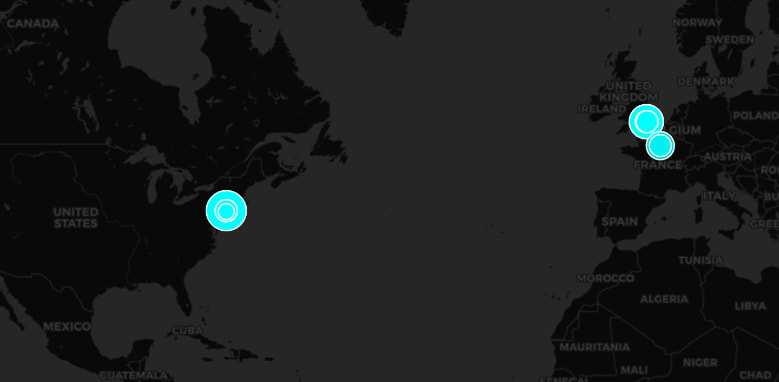
When you open the Map page, you will see a world map populated with various circular hotspots. These hotspots are audio files planted by other users. You can click and drag to pan across the globe, and use your mouse wheel or pinch gestures to zoom in on specific regions. If you ever get lost, you can use the locate button to jump straight to your current physical location.
STEP 2 LISTENING TO SOUNDS
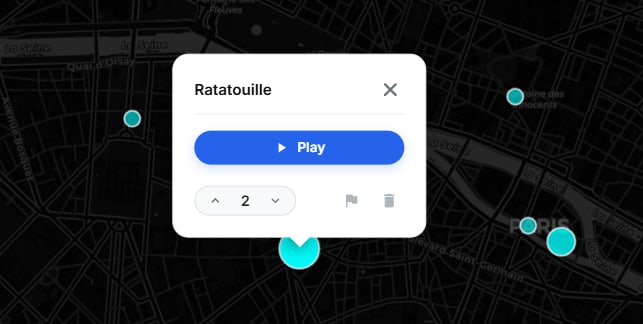
To hear what a specific location sounds like, simply click or tap on any circular hotspot. The audio will begin playing automatically. If you find a sound you really enjoy, you can upvote it. Upvoting is a crucial part of the platform because spots with more votes visually grow larger on the map. This unique mechanic makes it easier for other explorers to discover high quality sounds.
STEP 3 LOGGING IN
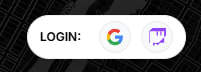
While guests can explore and listen to sounds, you must be logged in to plant your own audio or vote on existing spots. Look for the login capsule in the interface. You can securely authenticate using your existing Google or Twitch account. Once authenticated, your profile will be active and you will have full access to all map tools.
STEP 4 PLANTING YOUR FIRST SOUND
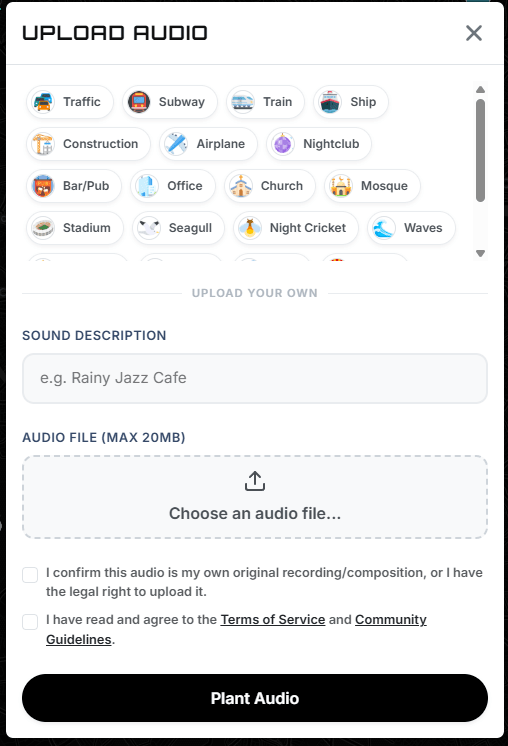
Once logged in, find a precise location on the map that represents the origin of your audio. Tap or click on that exact spot. A planting window will appear. First, enter a brief description of the sound, such as Rainy London Cafe or Local Birdsong. Next, upload your audio file. Please remember that files must be 20 Megabytes or smaller.
Before you can finalize planting your sound, you must confirm that you have the legal right to upload the audio and that you agree to our Terms of Service. Check the required agreement boxes and click the Plant Audio button. Your sound is now officially live on the map and can be discovered by explorers all over the world.
STEP 5 MANAGING YOUR PROFILE AND DROPPED SOUNDS
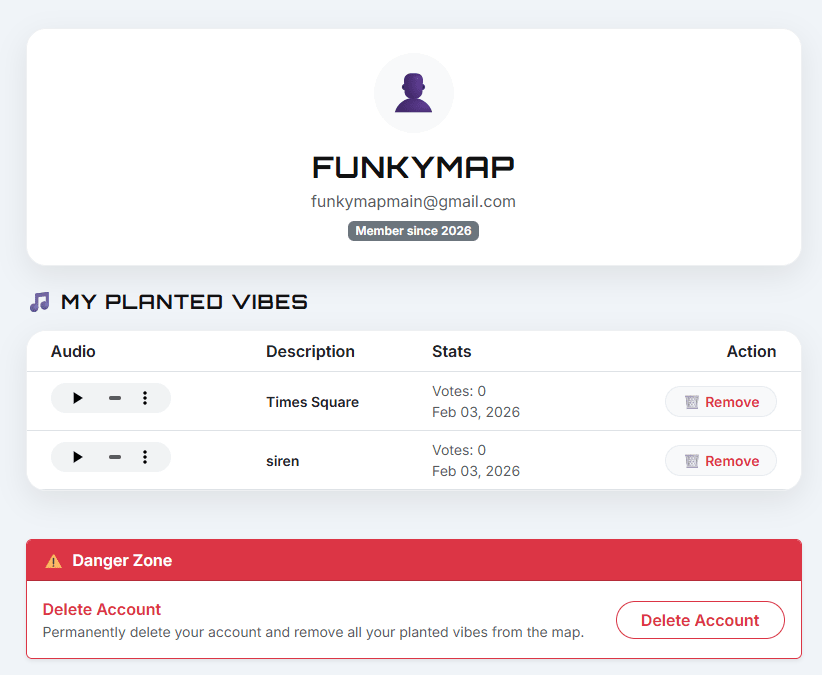
You can access your personal Profile page at any time through the navigation menu. Your profile lists all the audio spots you have planted on the map. From this page, you can review your contribution history and monitor your dropped sounds. If you ever want to delete a sound you previously published, click the remove button next to that item in your profile list to instantly erase it from the global map.
STEP 6 DELETING YOUR ACCOUNT
If you ever decide to leave Funky Map, you have complete control over your personal data. Inside your Profile settings, you will find an option to delete your account. Confirming this action will permanently delete your account profile along with your stored preferences and uploaded content links.
STEP 7 REPORTING SPOTS AND BLOG CONTENT
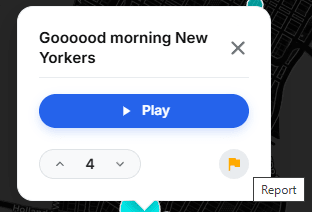
We maintain high community standards across the entire platform. If you encounter an audio spot containing hate speech, spam, copyright infringement, or inappropriate material, click the report button on that spot. Select your reason and provide details for our moderation team. You can also report violating content or abusive material on our Blog pages. Our administrators continuously review reported items to keep the platform safe for everyone.
STEP 8 READING AND ENGAGING WITH BLOG PAGES
Funky Map features a dedicated Blog section accessible from the top menu. The blog provides platform news, feature announcements, deep dives into global audio culture, and tips for field recording. You can browse through published posts, learn more about soundscapes, and stay updated on the latest software releases and community highlights.